

Adobe Express
Design launch artwork with editable type, brand assets, clips, and print-ready exports.
Sources checked 3 October 2026.

PlansFree; from $9.99/mo Current US monthly list prices
- Free
- Free
- Core design tools and limited daily generative access.
- Premium
- $9.99/month
- 250 monthly generative credits and premium design assets and tools; U.S. list price, billed monthly with no annual commitment. Regional prices may differ.
- Firefly Pro
- $19.99/month
- U.S. monthly price; includes Express Premium features except its 250 credits, plus 4,000 monthly credits for premium video and audio and Photoshop on web/mobile.
Premium is $9.99/month with 250 monthly generative credits; Firefly Pro is $19.99/month with 4,000 premium video and audio credits.
Both are billed monthly without an annual commitment; regional prices may differ.
View current plans (opens in a new tab)AI & setupAI includedFree plan; Adobe account required
Premium adds paid design tools; Firefly Pro also includes Photoshop on web and mobile.
Where it worksWeb, iOS, AndroidWeb, iOS, and Android
Feature and beta availability can vary by account and region.
Usage & termsCredits and asset rights differCheck generation, stock, and export rights
Free access has limited daily generation; Premium includes 250 monthly generative credits, while Firefly Pro excludes those credits and adds 4,000 for premium video and audio.
Submitted references, stock assets, and generated material have distinct rights; commercial wording does not guarantee copyright protection or third-party clearance.
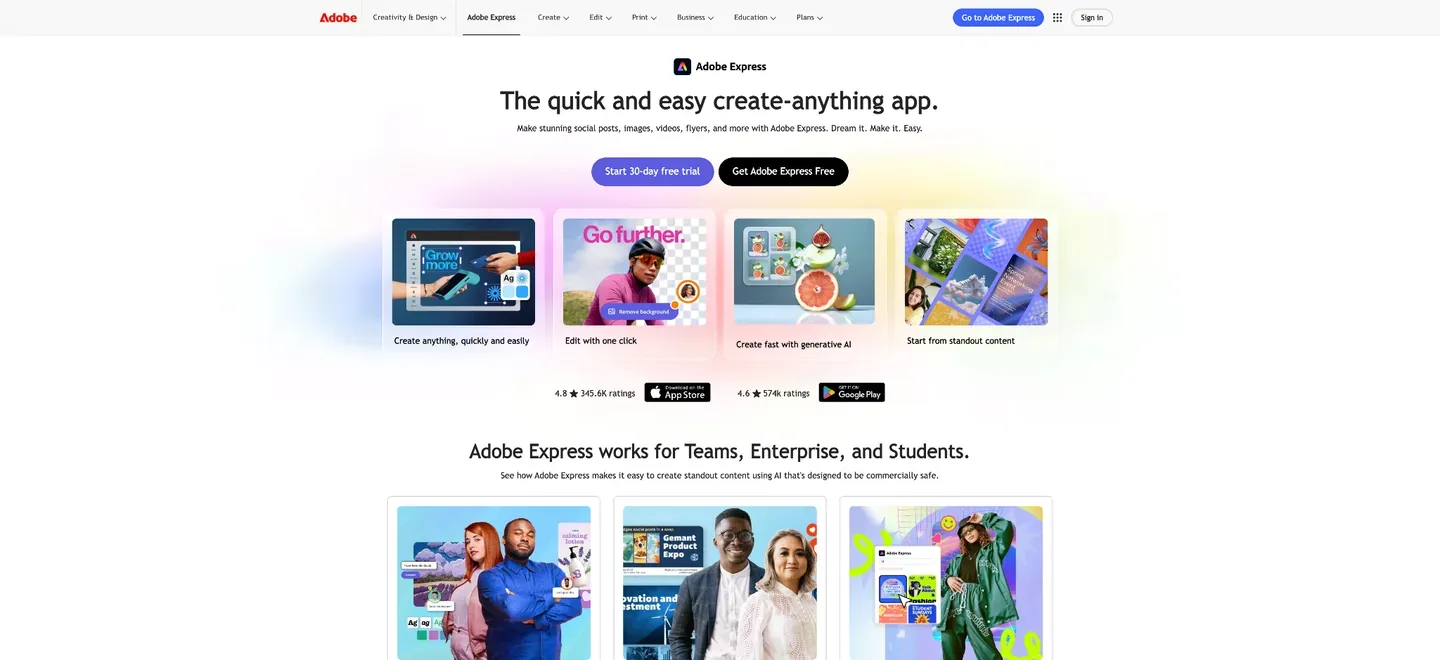
Generate the artwork inside the editable design
Generate Image accepts a written description plus style or composition references. The selected image can open directly in the editor, where text and layout remain separate elements around the artwork.
Style references guide the appearance; composition references guide the arrangement. The result can be downloaded or developed further as a launch graphic without baking its title and publication details into every generation.
Make conversational changes to an editable layout
The beta AI Assistant creates and changes designs through written instructions while keeping their elements editable. It can help develop the layout and its visual treatment, with ordinary editor controls available for further changes.
Turn a longer recording into captioned launch clips
Clip Maker extracts short clips from an uploaded video, with selectable aspect ratios and captions. Suggested excerpts can be trimmed, expanded, reframed, and opened in the editor before download.
The caption editor also generates text from video or audio, lets the author correct the transcript, and applies fonts, colors, and caption styling. Names and book titles can be checked before the clips are released.
Brand, video, and print
-
Build an author brand from existing visual material
-
Extract Brand from Upload analyzes JPG or PNG images to suggest colors, fonts, and logos for a saved brand. The beta feature can start from existing book or author material, while Premium brand tools keep the resulting identity available in later designs.
-
Prepare the design for digital or print output
-
The editor supports common image, document, and video exports. PDF Print offers CMYK or RGB color handling, crop marks, bleed, and regional profile settings, giving print promotion a different finishing path from a social graphic.
-
Keep the launch posts with their schedule
-
Content Scheduler plans, previews, and publishes posts to supported social channels, and can generate accompanying captions. Free connects one account per channel; Premium increases this to three.
-
Check the licence of every kind of asset
-
Generative tools and Adobe Stock supply different kinds of material. Adobe’s AI guidelines require rights to submitted references, while stock content keeps its licence restrictions. Commercially safe product language does not guarantee copyright protection or clear every third-party right.
Feature details & official sources
Purpose and capability information checked 3 October 2026.
Platform and pricing reference: 24 October 2026.
Recorded requirements and limits
- Free has limited daily generative access. Premium adds 250 monthly generative credits and paid design tools; individual features and beta access can vary.
- Premium is sold at region-specific prices and is also bundled with some other Adobe subscriptions. Check the account’s plan before purchasing again.
- Use authorized artwork, fonts, footage, and voices. Stock, generated output, and uploaded material have distinct rights and should be checked before commercial publication.
- Design editor and tools (opens in a new tab)
- Reference-guided image generation and download (opens in a new tab)
- Beta AI Assistant (opens in a new tab)
- Beta brand extraction (opens in a new tab)
- Clip selection and video editing (opens in a new tab)
- Caption correction and styling (opens in a new tab)
- Print PDF export controls (opens in a new tab)
- Social publishing and account limits (opens in a new tab)
- Current plans, credits, and asset conditions (opens in a new tab)
- Generative input and output responsibility (opens in a new tab)
- Pricing and access checked 24 October 2026 (opens in a new tab)
- Pricing and access checked 24 October 2026 (opens in a new tab)
- Pricing and access checked 24 October 2026 (opens in a new tab)
Information may be inaccurate. Confirm details on the official website. Report errors to [email protected].