

Novilot
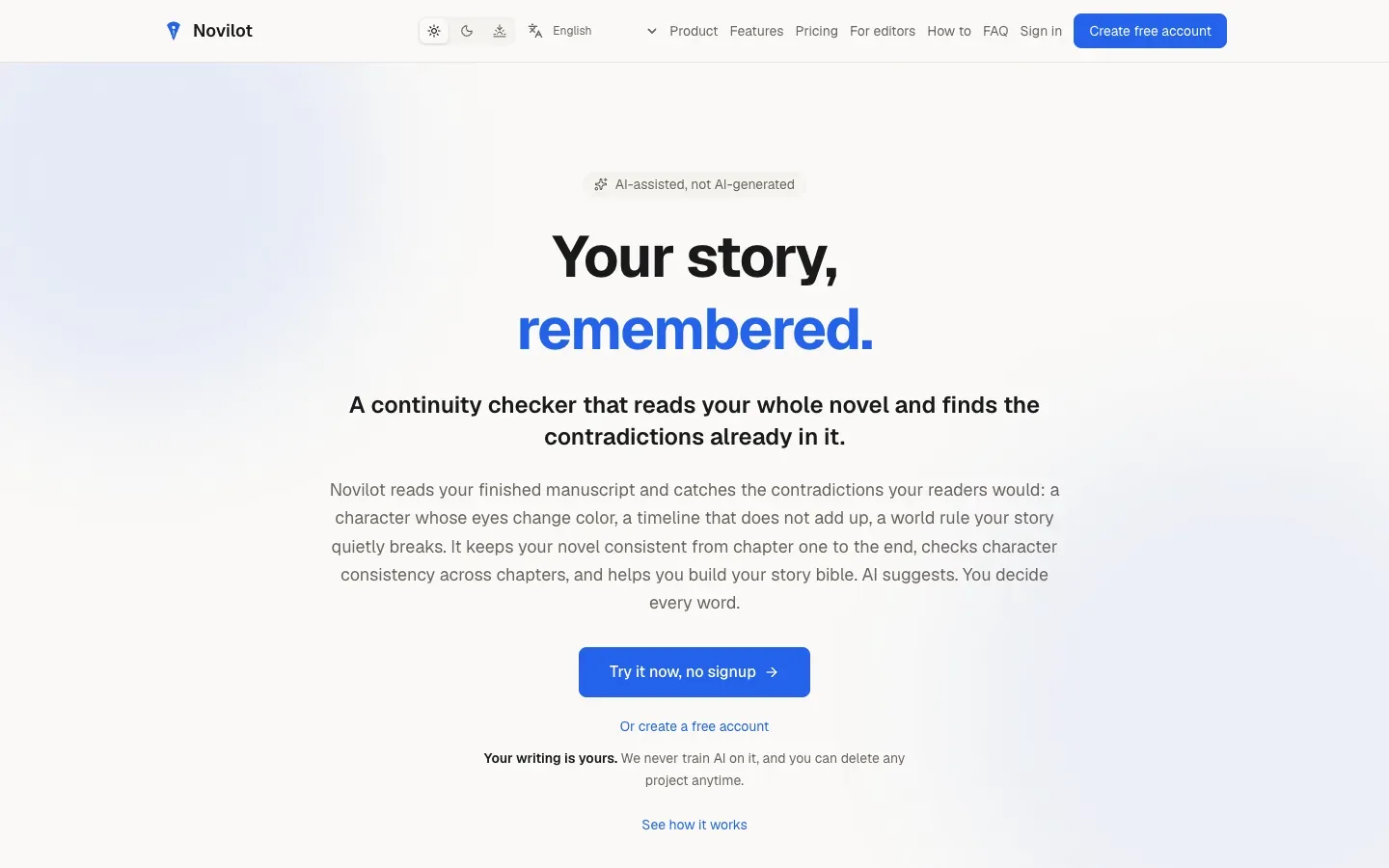
Scan a finished manuscript for contradictions across chapters, check each one against the quoted passages, and keep a story bible built from the draft.
Sources checked 6 October 2026.

PlansFree; from $9 one-time Free start; $19 monthly or $9 credit packs
- Free
- $0
- 30 welcome AI credits once, with no expiry or monthly refill. One personal project plus example projects.
- Writer
- $19/month 100 credits/month
- USD before tax. 100 AI credits per paid month and unlimited projects.
- Revision Pack
- $9 one time
- 40 extra AI credits that do not expire. Works with Free or Writer and starts no subscription.
Free includes 30 credits once. Writer adds 100 credits per paid month and unlimited projects.
A $9 Revision Pack adds 40 non-expiring credits without a subscription.
View current plans (opens in a new tab)AI & setupAI includedFree account, no card
A guest demo runs without signing up. Import an existing manuscript or start a project in the browser.
Where it worksWebWeb app
The editor, scans, story bible, and analysis all run in the browser.
Usage & termsCredits set how much you can scanNo fixed manuscript word limit
Scans are priced by words read, so credit balance, not plan tier, sets how much of a long book you can check.
New Free accounts hold one personal project. Free credits do not refill.
Continuity Guardian
See both sides of every contradiction
A scan flags lines that conflict with earlier chapters, such as an eye color that changes, a backstory that no longer fits, a timeline that doesn't add up, or a broken world rule. Each finding quotes the earlier passage beside the new one, suggests a fix, and links back to the original chapter. Flags you disagree with can be marked as not an issue.
Every result states how many words were scanned. Re-opening an unchanged result is free because unchanged scans are cached.
Story Bible
Build the canon from what is on the page
Novilot suggests characters, places, and world rules it finds in the draft. Nothing enters the bible until you approve it, and Continuity Guardian then checks the manuscript against the entries you kept.
Each project has its own bible. Volumes can be grouped into a series for cross-book continuity.
Analysis
Read reports on structure, pacing, and prose
The Developmental Editor gives story-level feedback on arcs, themes, subplots, dialogue, and the opening. Other tools chart tension and emotion across the book, compare character voices, and flag telling passages, filter words, and weak dialogue tags. They quote your pages and leave the revising to you.
Tools around the draft
-
Turn a repeated check into a tool
-
Describe what you want to know about the book in one sentence, and Novilot drafts a tool with its instructions, inputs, and credit cost for you to review. Requests that are really arithmetic, such as a count or a ratio, become free measurements that give the same answer every time.
-
Bring in an existing draft and check the chapter split
-
Word, OpenDocument, EPUB, RTF, Markdown, and plain-text files are parsed in the browser, and only the extracted prose is sent. You can rename, merge, split, or drop detected chapters before anything is saved. Exports cover DOCX, EPUB, and PDF.
Older .doc and Apple Pages files need to be saved as .docx first.
-
Keep writing in the same workspace
-
The editor holds chapters, an outline, word goals, and sprints. Autocomplete suggests the next line and accepts with Tab; it can be switched off. A manuscript-aware chat draws on relevant scenes and the story bible.
-
Review client manuscripts with cited evidence
-
A separate editor workspace lets you request a manuscript, run checks with a credit quote first, and confirm, query, mark intentional, or dismiss each finding. Approved feedback goes to the author as a DOCX or CSV report or an expiring link, while private notes stay in the workspace.
Novilot states that this workspace does not do a Track Changes round trip inside Microsoft Word.
-
Prepare submission materials and keep copies elsewhere
-
Publishing tools work from the manuscript to draft query letters, loglines, synopses, comp titles, and blurbs, and a Beta Reader Hub collects structured feedback. Signed-in accounts can push manuscript, story bible, and outline packages to Dropbox or a private GitHub repository, manually or on a schedule.
Backups are push-only, not two-way sync.
Feature details & official sources
Purpose and capability information checked 6 October 2026.
Platform and pricing reference: 24 October 2026.
Recorded requirements and limits
- AI features spend credits. A continuity scan is priced by the number of words it reads, and each action shows its cost before it runs.
- New Free accounts get 30 welcome credits once, with no monthly refill, and one personal project plus example projects.
- The relevant part of the manuscript is sent to Anthropic's API when an AI feature runs. Novilot states that manuscripts are not used to train models.
- Overview, plans, credits, privacy, and FAQ (opens in a new tab)
- Continuity Guardian (opens in a new tab)
- Story Bible (opens in a new tab)
- Analysis tool catalog (opens in a new tab)
- Custom tools and credit pricing (opens in a new tab)
- Import formats and export (opens in a new tab)
- Publishing tools (opens in a new tab)
- Fiction editor workspace (opens in a new tab)
- Pricing (opens in a new tab)
Information may be inaccurate. Confirm details on the official website. Report errors to [email protected].