

QuillBot
Give a passage a clearer direction, compare alternate phrasings, and keep the original available while building a shorter draft or citation list.
Sources checked 3 October 2026.

PlansFree Free tools; Premium prices are shown after account sign-in
- Free
- Free
- 125 words per input; Standard and Fluency modes.
Premium purchase options are presented after account sign-in.
View current plans (opens in a new tab)AI & setupAI includedFree paraphraser up to 125 words
The free plan includes Standard and Fluency paraphrasing; advanced modes require Premium.
Where it worksWeb, macOS, Windows, iOS, AndroidWeb, desktop, mobile, and Word
The Word sidebar and supported app integrations bring passage-level edits into existing documents.
Usage & termsFree input: 125 wordsAdvanced modes require Premium
Creative mode can change a passage's meaning. Check voice and facts, and continue to cite the sources behind rewritten material.
Freeze Words and Compare Modes availability depends on the plan and paraphrasing mode.
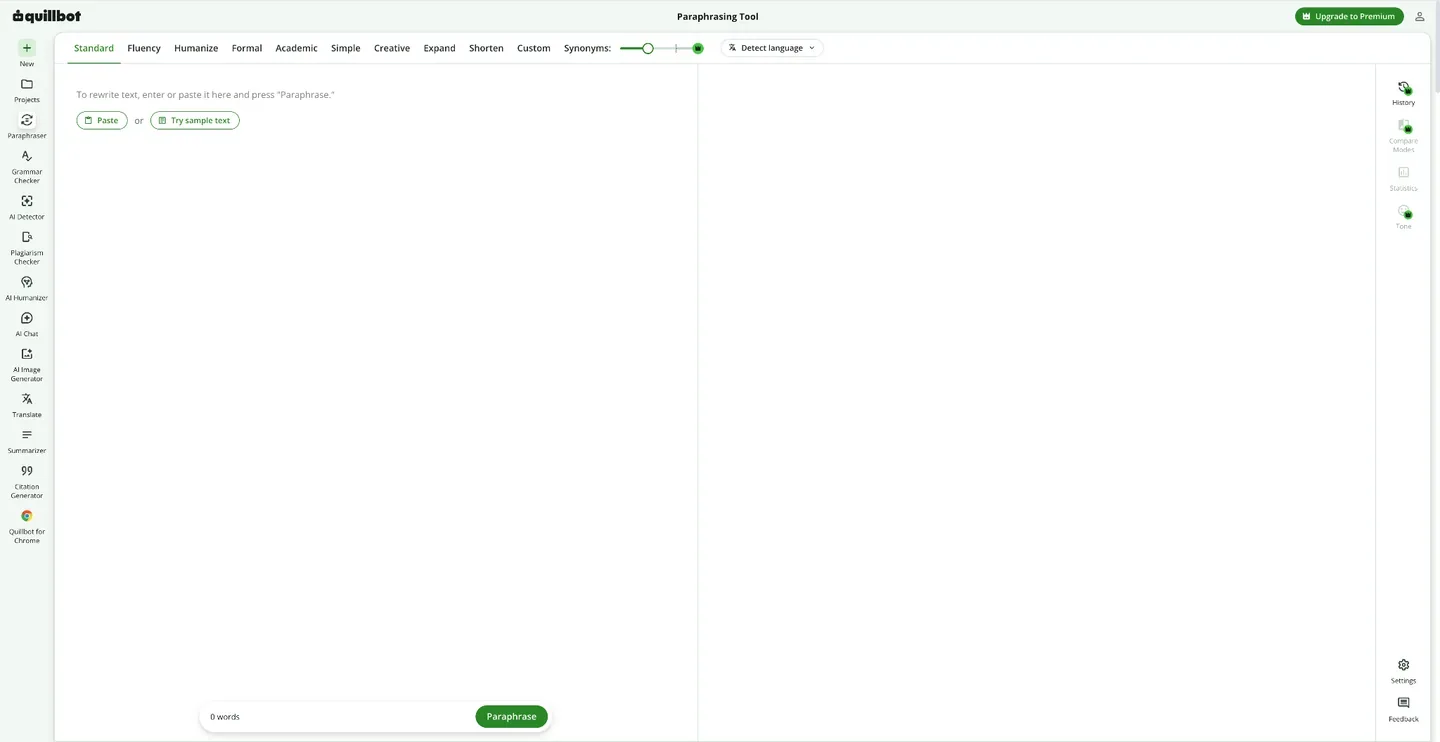
Give the rewrite a clear direction
Standard and Fluency modes offer general rewrites and lighter language improvements. Premium adds choices such as Formal, Simple, Academic, Shorten, Expand, and Custom, letting the author direct the revision toward a particular audience or length. Input and output appear together for comparison.
Free paraphrasing accepts 125 words per input in Standard and Fluency. More adventurous modes, including Creative, can alter meaning.
Control the word choices within the rewrite
The synonym slider changes how heavily QuillBot substitutes vocabulary, and individual words offer alternative choices. Freeze Words can preserve terminology, names, and keywords in supported modes, which is useful when the surrounding sentence needs work but a book's established terms should remain intact.
Higher synonym settings can change meaning; the slider and Freeze Words are not available in every mode.
Word workflow, summaries, and citations
-
Compare several approaches to one sentence
-
Premium's Compare Modes displays the original sentence and versions from the available modes in a sidebar. Authors can inspect the changes in tone, clarity, and length together, choose a version, or request another variation without repeatedly switching the whole passage between modes.
-
Bring passage revision into Word
-
The Microsoft Word sidebar can paraphrase entered or highlighted text, with mode and setting controls inside the document workflow. Browser, desktop, and mobile apps provide other ways to reach the toolkit as writing moves between a draft and shorter web copy.
-
Condense the reading and keep track of references
-
Summarizer turns supplied articles or documents into a paragraph or bullet points, with an adjustable result length. Citation Generator creates, edits, saves, and exports lists in styles including APA, MLA, and Chicago. Together they can support research notes and references around a nonfiction project; source details and summaries still need review.
Free Summarizer inputs are limited to 600 words. Citation Generator can be used without an account; an account is needed to save lists for later.
Feature details & official sources
Purpose and capability information checked 3 October 2026.
Platform and pricing reference: 24 October 2026.
Recorded requirements and limits
- Free paraphrasing accepts up to 125 words at a time in Standard and Fluency modes; advanced modes require Premium.
- Creative mode can change meaning. Review voice, facts, and attribution; rephrasing source material does not remove the need to cite it.
- Freeze Words and Compare Modes are chiefly Premium features; Freeze Words also allows one word for logged-in free users. Their availability depends on the selected mode.
- Official homepage and current toolkit (opens in a new tab)
- Paraphraser and free limits (opens in a new tab)
- Modes and meaning-change caveat (opens in a new tab)
- Word sidebar workflow (opens in a new tab)
- Current Premium pricing (opens in a new tab)
- Synonym controls (opens in a new tab)
- Preserving selected words (opens in a new tab)
- Comparing rewrite modes (opens in a new tab)
- Summarizer formats and limits (opens in a new tab)
- Citation lists and export (opens in a new tab)
Information may be inaccurate. Confirm details on the official website. Report errors to [email protected].