

ProWritingAid
Choose detailed prose reports for a line edit, then add story critique, character and plot analysis, or a focused rewrite.
Sources checked 3 October 2026.

PlansFree; from $30/mo $30/$36 monthly; $120/$144 yearly; $399/$699 lifetime
- Free
- Free
- Premium
- $30/month
- Billed monthly; unlimited line-editing reports and Rephrase, with separate limits for story critique and Sparks.
- Premium Pro
- $36/month
- Billed monthly; higher Chapter Critique and Sparks allowances plus workshops and writing community access.
- Premium Annual
- $120/year
- Equivalent to $10 per month.
- Premium Pro Annual
- $144/year
- Equivalent to $12 per month.
- Premium Lifetime
- $399 one time
- Premium Pro Lifetime
- $699 one time
Premium and Premium Pro are $30/$36 monthly, $120/$144 annually, or $399/$699 one-time for lifetime licenses.
View current plans (opens in a new tab)AI & setupAI includedFree plan; English-language writing
Free checks are limited to 500 words at a time; paid licenses support documents of any length for line-editing reports.
Where it worksWeb, macOS, WindowsWeb, Windows, Mac, and writing integrations
Reports and revision tools can be used in the editor or supported desktop and document integrations.
Usage & termsManuscript analysis uses Story Credits6K–300K words is analysis guidance
Free line-editing reports run on 500 words up to twice per report per day; free Rephrase, Chapter Critique, and Sparks have separate daily allowances.
Manuscript Analysis uses separately purchased Story Credits and is recommended for 6,000–300,000 words; that is not a universal app limit.
Choose reports for the prose patterns you want to examine.
More than 25 writing reports examine repetition, nearby echoes, sentence length and structure, readability, dialogue, pacing, sensory detail, and consistency. A Summary Report provides an overview, while a custom combination of reports can concentrate a pass on the particular habits an author wants to address.
Suggestions can be customized, including words to watch and whether to flag certain style issues inside dialogue.
Turn a manuscript critique into a revision route
Manuscript Analysis reviews the complete story's plot, themes, characters, and setting. Its feedback ranks issues by importance and links to text locations, giving the author a way to move from an overall concern to the passage that needs attention. Chapter Critique provides a smaller-scale option for shorter work or one chapter at a time.
The help documentation recommends 6,000–300,000 words for Manuscript Analysis and up to 6,000 for Chapter Critique. A manuscript analysis uses one Story Credit.
Focus on the arc or the cast
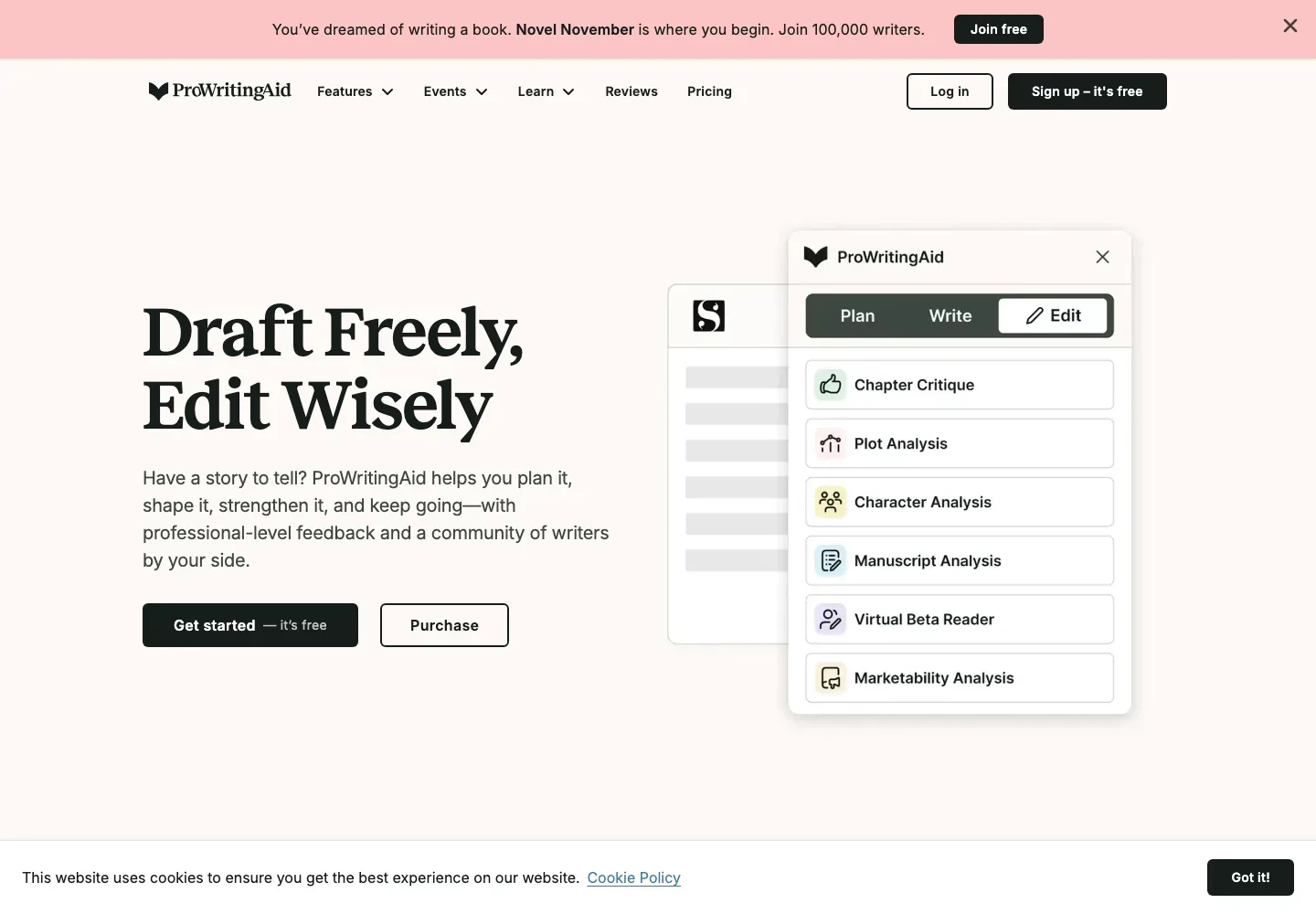
Plot Analysis compares a detailed outline or draft with a three-act framework, identifying missing beats and places where tension or momentum may weaken. Character Analysis concentrates on agency, motivation, relationships, voice, and change across the story. These separate reports offer more focused feedback when a revision centers on one of those concerns.
Story analysis, planning, and writer tools
-
Consider the reading experience and the book's audience
-
Virtual Beta Reader supplies first-person AI feedback on hooks, emotional connection, favorite characters, memorable scenes, and possible drop-off points. Marketability Analysis adds audience and genre positioning alongside query, synopsis, title, and promotion ideas. Both are additional Story Credit tools; their suggestions offer editorial perspectives rather than evidence of actual reader response or future sales.
-
Explore wording and creative alternatives
-
Rephrase gives sentence alternatives for formality, length, fluency, or sensory detail. Sparks works on selected passages with editing and inspiration options, including a change of perspective, a summary, or alternative dialogue. Authors can compare the proposed wording with the draft and decide how much belongs in their voice.
-
Stay in the app that holds the manuscript
-
The Web Editor accepts uploaded or pasted documents. Desktop Everywhere for Windows and Mac brings reports into apps including Scrivener and Word, while browser extensions support web writing. Manuscript Analysis is also available through the integrations, reducing the need to move the draft into a separate tool for each kind of feedback.
-
Give the next draft a foundation and a routine
-
Story Canvas organizes an early idea through guided prompts about plot, characters, conflict, and world, with feedback on the developing concept. Writing Sessions records time, word count, and milestones. These supporting tools extend the workspace from revision into planning and keeping track of the work between editorial passes.
-
Add workshops and a writing community
-
Premium Pro includes live author and editor workshops, a library of recorded sessions, daily cowriting sprints, group critiques, and networking events. That adds human instruction and peer contact to the software for authors who want to discuss craft and maintain a writing routine between revisions.
Feature details & official sources
Purpose and capability information checked 3 October 2026.
Platform and pricing reference: 24 October 2026.
Recorded requirements and limits
- Manuscript Analysis uses separate Story Credits and is recommended for 6,000–300,000 words.
- That guidance is specific to Manuscript Analysis, not a universal app limit.
- Free line-editing reports run on 500 words up to twice per report daily. Chapter Critique and Sparks have separate plan allowances.
- Story Credits are an additional purchase for full-manuscript analyses, including Plot Analysis, Character Analysis, Virtual Beta Reader, and Marketability Analysis.
- Official homepage (opens in a new tab)
- Official product information (opens in a new tab)
- Published feature information (opens in a new tab)
- Feature and access documentation (opens in a new tab)
- Feature and access documentation (opens in a new tab)
- Current plans and allowances (opens in a new tab)
- Plot and structural critique (opens in a new tab)
- Character critique (opens in a new tab)
- Simulated reader feedback (opens in a new tab)
- Audience and publication materials (opens in a new tab)
- Sentence rewriting (opens in a new tab)
- Editing and creative suggestions (opens in a new tab)
- Story planning (opens in a new tab)
- Writing progress tracking (opens in a new tab)
Information may be inaccurate. Confirm details on the official website. Report errors to [email protected].