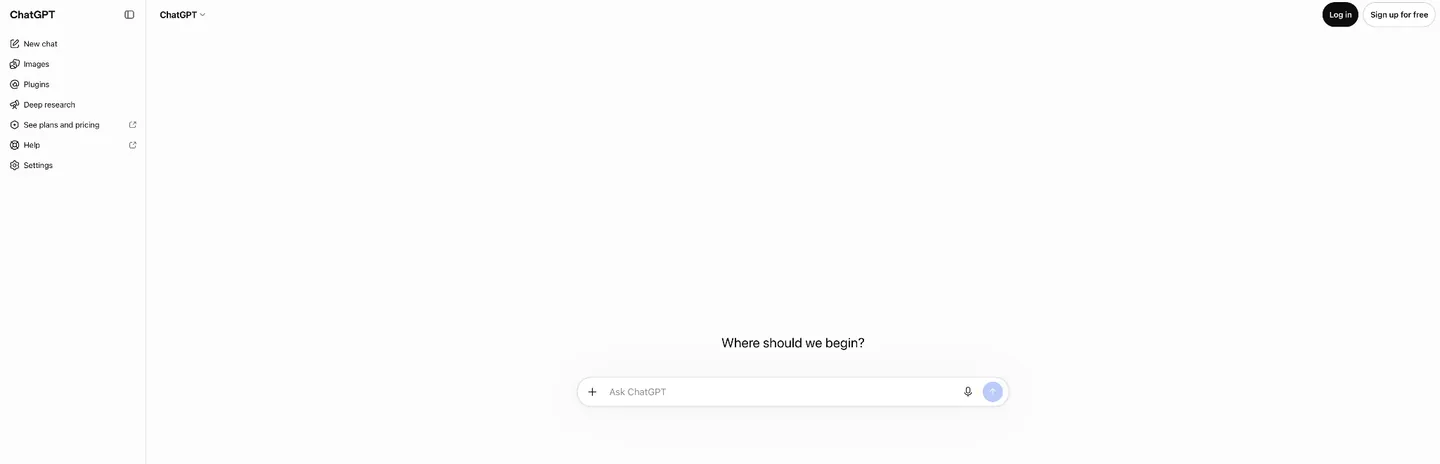

You remember the first time.
Maybe it was late 2022 or early 2023. A friend sent you a link, or you read something online that made you curious enough to type chatgpt.com into your browser. You stared at that blank text box, cursor blinking, and typed something like “Write me a story about a detective who’s afraid of the dark.”
And it wrote you a story. Not a great story. A little wooden, a little eager to please, with that unmistakable AI sheen. But a story. In seconds. From a text box.
For millions of authors, that was the moment the ground shifted. Not because the output was publication-ready, but because the possibilities were suddenly real. You could brainstorm with this thing, test dialogue, ask it to unstick that scene in chapter seven that had been knotted up for weeks. It felt like having a writing buddy who never slept.
That was ChatGPT then. It’s grown up a lot since.
The Accidental Revolution
Nobody at OpenAI expected what happened next.
ChatGPT was supposed to be a quiet research preview. On November 30, 2022, Sam Altman tweeted “today we launched ChatGPT,” pointing to a free chatbot powered by GPT-3.5. The team figured some researchers and early adopters might try it out.
One million people signed up in five days.
Within two months, it hit 100 million users, making it the fastest-growing consumer application in history. Turns out the best way to give people access to AI was to just… let them talk to it. No API keys. No technical setup. A text box and a question.
What ChatGPT Actually Does for Authors
ChatGPT isn’t a writing tool. No manuscript editor, no story bible. It’s a conversational AI that happens to be extraordinarily good at working with language. For authors, that turns out to be useful in ways you don’t expect until you start experimenting.
Brainstorming and ideation. Stuck on a plot point? Describe where you are in the story and ask for five different directions the scene could go. It won’t always nail the right one, but it gives you options to react to. And reacting is easier than staring at a blinking cursor for two hours (ask me how I know).
Character development. Feed it a character description and ask it to roleplay that character in a conversation. Test dialogue. See if the voice holds up under pressure. It’s like having a scene partner for improv, except this scene partner has read everything and never gets tired.
Research. Need to know what a Victorian-era kitchen looked like? Need the basics of forensic accounting for your thriller? ChatGPT gets you 80% of the way there in minutes. (Always verify the details. It’s confident even when it’s wrong.)
Editing feedback. Paste in a passage and ask it to flag pacing issues, repetitive sentence structures, or spots where the tension drops. Not a replacement for a human editor, but a solid first pass, especially at 2 AM when your critique partner is asleep.
Marketing copy. Book descriptions, query letters, social media posts, newsletter drafts. The unglamorous business side of being an author is where ChatGPT shines brightest, because marketing copy needs to be competent more than it needs to be inspired.
From Chatbot to Writing Partner
When ChatGPT first launched, it was genuinely just a chat box. You had a conversation, closed the tab, and it was gone. The AI had no idea who you were next time you logged in.
That’s changed a lot.
Projects let you create dedicated workspaces for each book. Upload reference files (character sheets, worldbuilding documents, research PDFs) and write custom instructions that shape how ChatGPT responds within that context. All your related conversations stay organized in one place. It’s like handing the AI a briefing folder before every conversation.
So for your fantasy novel, you could upload your magic system rules and character bible, add instructions like “Always write in close third-person, past tense, with a dry humor that echoes Terry Pratchett,” and every conversation in that Project starts with all of it loaded. Pretty cool.
Memory lets ChatGPT remember things across conversations. Tell it your protagonist’s name and that you’re working on a cozy mystery series set in a bookshop, and it holds onto that. You can also let it reference your chat history to pick up on preferences you haven’t explicitly stated. It’s imperfect (sometimes it remembers things you’d rather it forget, and sometimes it forgets things you’ve told it three times), but it means you’re not starting from zero every session.
Custom GPTs are specialized versions of ChatGPT that anyone can build, no coding required. Write a set of instructions, upload reference documents, and ChatGPT becomes a focused tool. A “House Style Editor” that knows your voice. A “Query Letter Consultant” trained on what agents actually want to see. The GPT Store has thousands already built by other users, and creating your own takes maybe fifteen minutes.
These features together are what transforms ChatGPT from a novelty into something approaching a real writing tool. OpenAI didn’t design it for authors. Authors showed up anyway, and the moldable design turned out to be exactly what we needed.
Canvas: Editing Side by Side
Canvas deserves its own mention. It’s a side-by-side editing space where you write and revise alongside ChatGPT in real time. Instead of the back-and-forth of chat (“here’s my paragraph,” “here’s my feedback,” “ok now apply the feedback”), Canvas opens a shared document where ChatGPT makes inline suggestions, adjusts reading level, shortens or lengthens passages, and checks for consistency.
For authors, Canvas is most useful during revision. Paste in a scene, ask ChatGPT to tighten the dialogue, and watch it make changes you can accept or reject line by line. It’s closer to working with a track-changes document than a chatbot. If you’ve ever wished you could hand a draft to someone who’d mark it up immediately without judging you… Canvas is that someone.
The Honest Tradeoffs
ChatGPT is the most capable general-purpose AI available. It’s also not purpose-built for authors, and that shows.
No manuscript management. You can’t outline chapters or track word counts inside ChatGPT. It doesn’t know what a chapter is in any structural sense. You’ll need a separate writing tool for the actual manuscript.
Context has limits. Even with Projects and Memory, ChatGPT doesn’t hold your entire novel in its head. Long conversations can drift. If you paste in chapter twelve and ask about chapter three, it might not remember the details unless you’ve included them in your Project files. It’s way better than it used to be, but it’s not omniscient.
The output needs your fingerprints. ChatGPT prose, especially fiction, tends toward a certain smoothness that can feel generic. Fluent but rarely surprising. The writers who get the most from it are the ones who treat it as a collaborator they’re willing to argue with. Don’t just accept the first draft it hands you. Push back. Make it work for you.
The free tier has real boundaries. Free users get access to the latest model, but with message caps (currently around 10 messages every five hours before it drops to a smaller model) and ads as of February 2026. Image generation is limited too. The Go plan ($8/month) loosens those limits, though it still shows ads. If you plan to use ChatGPT seriously for writing, Plus at $20/month removes the friction.
It’s not private by default. Unless you opt out in your settings, OpenAI may use your conversations to train future models. If you’re working on sensitive unpublished material, check your data settings. Seriously, go check right now. I’ll wait.
Who This Is For
ChatGPT is the best starting point for any author curious about AI. The barrier to entry is as low as it gets. Create a free account, type a question, see what comes back.
It’s also the best general-purpose AI assistant available. If you want one tool for brainstorming, research, editing feedback, marketing copy, and the occasional “what if my villain is actually the detective’s mother,” ChatGPT handles all of that in a single interface. That’s genuinely impressive.
If you’re looking for a purpose-built fiction writing environment with story bibles and manuscript organization, tools like NovelCrafter or Sudowrite will serve you better. ChatGPT can do many of the same things, but you’ll be building that structure yourself rather than having it built in.
If you haven’t tried it yet, give it a real problem from your current project. Not “write me a novel,” but something specific. “My protagonist needs a reason to go back to the house she swore she’d never return to. Give me five options.” See what comes back. See what you do with it. That’s where it clicks for most of us :)